Your clients approve the feed before it goes live.
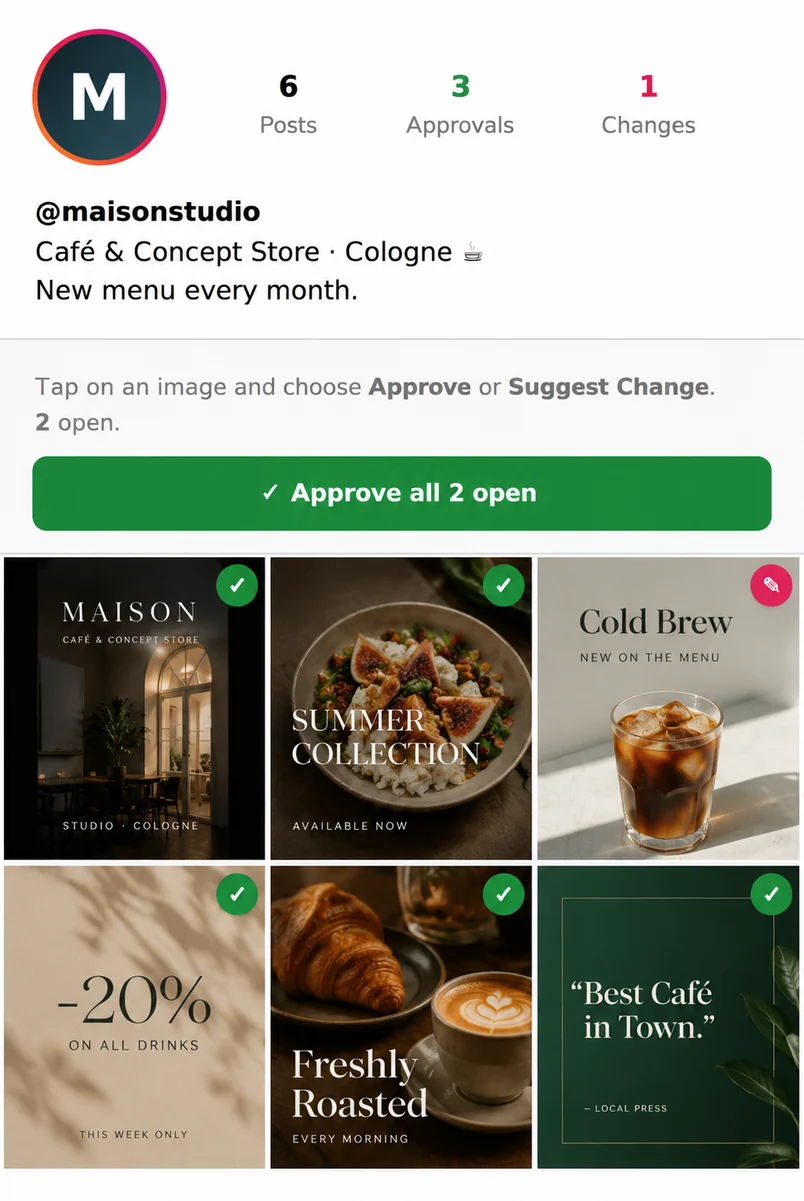
Upload posts, videos and stories and share them as a real Instagram preview – via a single link. Your client approves each post or requests changes. No more feedback chaos over email and WhatsApp.
Free & no obligation · approx. 15 minutes
Feedback doesn't have to hurt.
Without FeedPreviews
- 😵💫 “Make the 3rd image different” – via voice message
- 📨 Screenshots and changes scattered across email & WhatsApp
- 🤷 Nobody knows what's already approved
- 🔁 Endless feedback rounds
With FeedPreviews
- 📱 One link – the feed looks like the real Instagram
- ✅ Approval or change request per post, with a comment
- 🗂 Everything documented and live in the dashboard
- ⚡ Approved faster, a more professional impression
How it works
Upload
Add images, videos and stories to the feed, set the order and captions, configure the profile picture and bio.
Share the link
You get a link in Instagram style – optionally password-protected – that you send to your client.
Collect feedback
The client taps each post and approves it or requests a change. You see everything live in the dashboard.
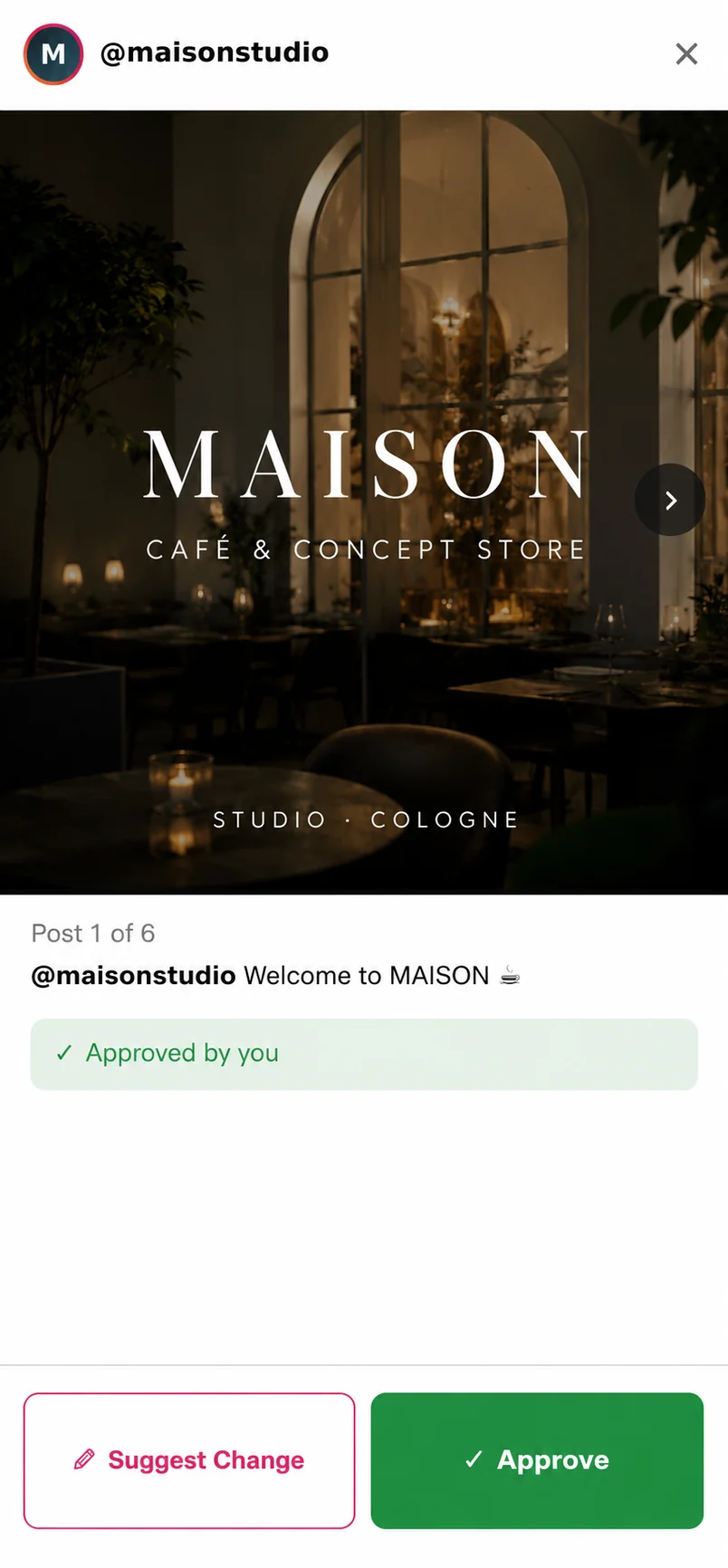
Your client decides – per post
Tap, “Approve” or “Request change” with a comment. No login needed.
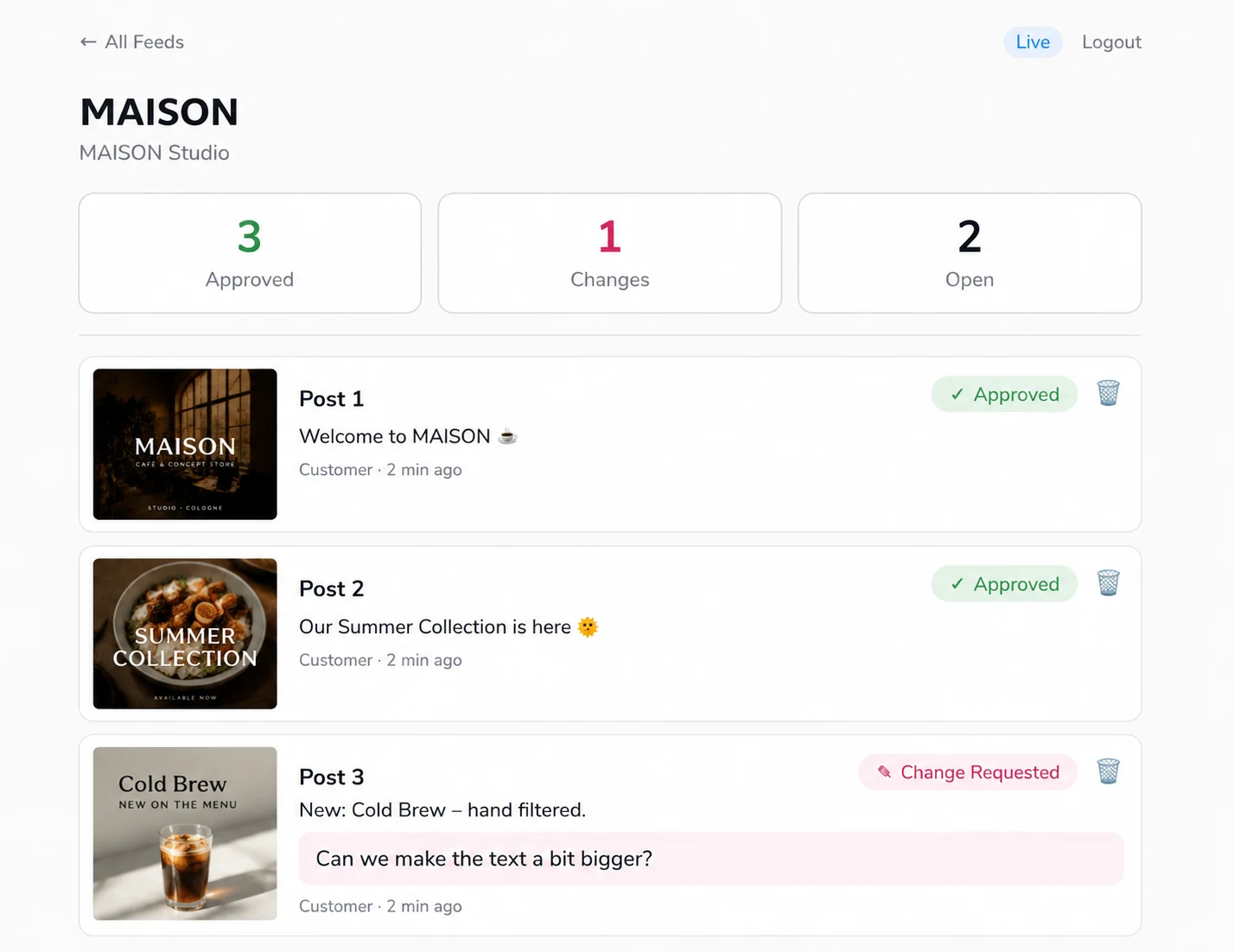
You stay in control
Approvals, change requests and comments – gathered in one place, in real time.
Everything you need for clean approvals.
Real Instagram look
Profile grid, posts, videos and stories – exactly how it will look in the feed.
Approval per post
Approve or request a change – with “Approve all” in one click.
Password protection
Every feed can be protected with its own password for the client.
Videos & stories
Not just images: reels/videos and Instagram stories when tapping the profile picture.
Live dashboard
All approvals and change requests arrive with you in real time.
One link is enough
No client login, no app. Your client opens the link and gets started.
Frequently asked questions
Does my client need an account or login?+
No. Your client just opens the link and sees the feed instantly in Instagram style – with no registration or app.
Can I protect the feed?+
Yes. You can set a password per feed. Your client then enters it once before seeing the preview.
Do videos and stories work too?+
Yes. You can upload images, videos and stories. Stories appear – like on Instagram – when tapping the profile picture.
Can I add more posts later?+
Sure. You can add more posts to an existing feed anytime – the link for your client stays the same.
How do I get the feedback?+
You see all approvals and change requests live in your dashboard – per post, including comments.
Ready for approvals without the chaos?
In a short demo we'll show you how to fit FeedPreviews into your workflow.
Book a demo